Curved Ultrawide Monitors: Why the Curve Matters (and When It Doesn't)
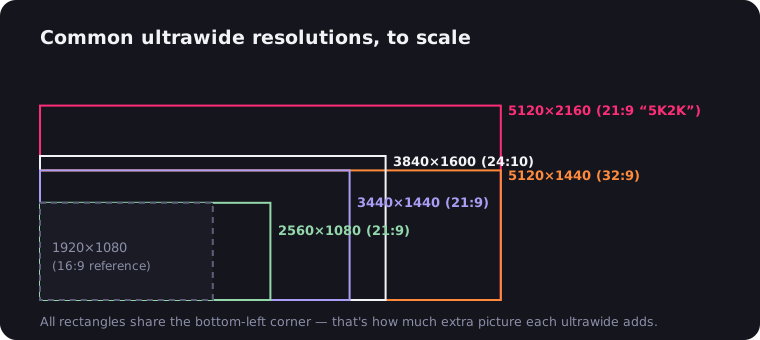
Shop for an ultrawide monitor and you'll notice something: almost all of them are curved. That's not a style choice. On a screen as wide as 21:9 or 32:9, a curve solves a real geometry problem — and on a narrow screen it solves nothing, which is why curved 24-inch monitors are a gimmick and curved 49-inch monitors are a necessity. Here's what the R-numbers mean, when the curve genuinely helps, when flat is the smarter buy, and which panels to look at in each category.
The Geometry Problem the Curve Solves
Sit centered in front of a flat 34-inch ultrawide and measure the distance from your eyes to the middle of the screen, then to a corner. The corners are noticeably farther away — and you view them at an angle instead of head-on. Three things follow:
- Edge softness. Text and fine detail at the edges sit off-axis, so they look subtly less crisp than the center.
- Color and contrast shift. Panels look best viewed perpendicular. VA panels especially lose contrast off-angle — and the edges of a big flat ultrawide are permanently off-angle.
- Focus fatigue. Your eyes continuously refocus between near-center and far-corners as you scan across the width.
A curved panel bends the edges back toward you, so every point of the screen sits at a near-constant distance and faces you more directly. The wider the screen, the bigger the flat-panel penalty and the more the curve earns. At 27 inches 16:9 it's negligible. At 34 inches 21:9 it's noticeable. At 49 inches 32:9, a flat panel would be borderline unusable from normal desk distance — which is why no one makes one.
There's a comfort angle too: human vision is wide — roughly 200° horizontally — and a curved ultrawide fills more of your peripheral view without asking your neck to sweep back and forth like a spectator at a tennis match.
Curve Radius Explained: 1800R, 1000R, 800R
The number on the spec sheet is the radius, in millimeters, of the circle the screen's arc belongs to. Smaller number = tighter curve.
| Radius | Curve feel | Typical use |
|---|---|---|
| 3800R | Barely perceptible | Older office ultrawides |
| 2300–2500R | Gentle | 38–40" productivity panels |
| 1800–1900R | Moderate — the 34" standard | Most 34" gaming and home panels |
| 1500R | Noticeably immersive | Aggressive 34" gaming panels |
| 1000R | Wraparound | 49" super ultrawides |
| 800R | Maximum production curve | 45" OLED gaming panels |
The radius also encodes the ideal viewing distance: sitting at roughly the radius distance puts you at the circle's center, where every point of the screen is equidistant. A 1000R panel is "designed for" about one meter — close to typical desk distance, which is exactly the point. An 1800R panel technically wants 1.8 m, but in practice the gentler curve is forgiving; think of 1800R as "subtle correction" and 1000R and below as "the full planetarium."
A useful rule: the wider the panel, the tighter the curve should be. 34-inch panels are happy at 1500–1900R. 49-inch 32:9 panels genuinely need 1000R — Samsung's Odyssey G9 line demonstrated that a screen wrapping that far around your desk works because of the aggressive curve, not despite it. And 800R appears on 45-inch OLED gaming panels like LG's UltraGear 45GR95QE, where immersion is the entire sales pitch.
Curved vs Flat, by What You Actually Do
Gaming: curved, almost always. Immersion is the ultrawide's party trick, and the curve amplifies it — the game world bends into your peripheral vision instead of receding at the edges. Sim racing and flight sims benefit most; a 1000R super ultrawide is the closest a single monitor gets to a cockpit. Fast competitive play also benefits from having the edges of the screen equidistant: corner minimap and center crosshair stay in the same focal plane. Our gaming ultrawide guide is curved top to bottom, essentially.
Office and productivity: gentle curve wins, flat is fine. For documents, code and spreadsheets, a moderate 1800R+ curve keeps the far columns of a wide layout readable without leaning. The one honest objection — "straight lines look bent" — mostly evaporates within a few days of use; your visual system recalibrates. If you regularly show the screen to a colleague sitting beside you, though, note that a curve has a sweet spot of one: off-center viewers see a distorted, partly off-angle image. Details in the office ultrawide guide.
Design, CAD and color work: this is flat's last stronghold. The curve doesn't harm color accuracy itself, but it does bend geometry: a ruler-straight line on a curved screen projects as a curve, which is disqualifying when you're judging alignment, architecture drawings or grid layouts. Photographers and video editors who need to trust straight horizons often stick to flat panels — or a gently curved 2300R+ panel where the distortion is minimal. If your work is "does this line look right," buy flat; if it's "does this timeline fit," curve away.
Movies: curved, with an asterisk. A curved 21:9 panel showing a 2.39:1 film is a private cinema — the format the screen was born for. The asterisk is that most web video is 16:9 and shows pillarbox bars regardless of curve. That part is software: the free UltraWide Video extension for Chrome and Edge zooms video to your exact ratio, curved or flat.
The Honest Caveats
- Glare geometry. A curved screen reflects light from a wider range of angles — a lamp or window that a flat panel would ignore can smear across a curved one. Matte coatings help; so does not placing a light source behind you. Glossy curved OLEDs in bright rooms need the most planning.
- Wall mounting is awkward. A curved panel stands off a wall, dominated by its own arc, with cables and mounts fighting the shape. Curved ultrawides belong on a stand or a desk-clamped monitor arm — check VESA support and the weight rating; 34-inch-plus panels are heavy.
- Desk depth. Tight curves want you at their focal distance. A 1000R 49-incher on a 50 cm-deep desk puts you closer than the geometry intends — 70 cm+ of depth is the comfortable minimum for the big ones.
- Photography and screen sharing. Screenshots are unaffected (they capture pixels, not geometry), but photographing a curved screen, or pointing a webcam at it, shows the bend prominently.
- Price. Once a meaningful premium, now mostly noise — curved VA panels are often the cheapest ultrawides. You're no longer paying extra for the curve; you're occasionally paying extra for flat IPS.
Picks by Category
Model years churn; classes don't. Anchors worth knowing:
- Value 34-inch curved: LG's 34WP65C class (1800R VA, 160 Hz) and Gigabyte's G34WQC are the long-standing budget defaults — more in the budget ultrawide guide.
- Gaming 34-inch curved: the QD-OLED pair — Alienware AW3423DWF and Samsung Odyssey OLED G8 — both 1800R, both spectacular; the OLED deep dive covers the burn-in question. MSI's QD-OLED entries undercut both.
- Flat 34-inch: Gigabyte M34WQ (IPS, KVM) is the standout for color-sensitive or shared-desk work — see the 34-inch overview for the full size class.
- Gentle-curve productivity: Dell's U3821DW (38", 2300R) and LG's 40WP95C class (40" 5K2K, 2500R) barely register as curved and dock a whole desk over Thunderbolt — Dell's lineup has the family tree.
- Super ultrawide: Samsung Odyssey G9 line, 1000R, no flat alternative exists — by design. The 49-inch guide covers the logistics.
The Bottom Line
The curve is corrective optics, not decoration. It exists because 21:9 and 32:9 screens are too wide to view flat from desk distance — so the wider the panel, the more the R-number matters. Buy curved for gaming, movies and immersion; consider flat only at 34 inches for line-critical design work; and past 38 inches, stop considering flat at all. Then pair whichever you choose with our no-nonsense buyer's guide to pick the panel inside the curve.

Watching on an ultrawide monitor?
UltraWide Video removes black bars from YouTube, Netflix, Prime Video and any other site — zoom or stretch any video to fill your 21:9 or 32:9 screen.