Alienware Ultrawide Monitors: The QD-OLED Story
Every monitor category has one model that changes the conversation. For ultrawides, that model wears an alien head logo. When the Alienware AW3423DW arrived in early 2022 as the world's first QD-OLED monitor, it did something almost unheard of: it delivered a genuinely new panel technology at a price that undercut the high-end LCDs it embarrassed. Four years on, "Alienware ultrawide" is practically shorthand for 34-inch QD-OLED — and the story of these monitors is the story of how OLED took over PC gaming.
The monitor that made QD-OLED mainstream
Before 2022, OLED on the desktop was a rumor and a few unobtainable professional panels. Samsung Display's QD-OLED — an OLED emitter layered with quantum dots for wider color and higher brightness — changed that, and Dell's Alienware division got there first with the AW3423DW: 34 inches, 3440×1440, 175 Hz, an 1800R curve, and a G-Sync Ultimate module.
The reviews were the kind marketing departments dream about. Infinite contrast, because each pixel emits its own light. Response times under a millisecond, making even fast IPS panels look smeary in comparison. HDR with DisplayHDR True Black certification, where dark scenes actually go dark. And color coverage around 99% of DCI-P3 that made games look almost overqualified. Our OLED ultrawide guide digs into why per-pixel lighting matters so much; the AW3423DW is where most people first saw it in person.
DW vs DWF: the alphabet soup that matters
Later in 2022, Alienware released the AW3423DWF, and the single-letter difference confused buyers for years. The short version:
| AW3423DW | AW3423DWF | |
|---|---|---|
| Refresh rate | 175 Hz | 165 Hz |
| Sync | G-Sync Ultimate (hardware module) | AMD FreeSync Premium Pro |
| Ports | DP 1.4 + HDMI | 2× DP 1.4 + HDMI |
| Firmware updates | No | Yes, via USB |
| Price at launch | Higher | Lower |
In practice the DWF became the default recommendation: the 10 Hz gap is imperceptible, it works flawlessly with NVIDIA cards over DisplayPort anyway, and user-updatable firmware meant Dell could fix quirks after launch. Both carry the spec that mattered most for peace of mind — a three-year warranty that explicitly covers OLED burn-in, which at the time almost nobody else offered. That warranty arguably did as much to legitimize OLED monitors as the panel itself. One shared limitation: HDMI is 2.0-era on both, so console owners shouldn't expect miracles from that port.
The honest caveats
QD-OLED is the best gaming panel technology you can buy, and it still asks two things of you.
Text fringing. QD-OLED uses a triangular subpixel layout instead of the standard RGB stripe, and Windows font rendering assumes the stripe. The result is faint magenta-and-green fringing on high-contrast text edges. In games and video: invisible. In an 8-hour coding session on a white background: some people spot it and can't unsee it, others genuinely never notice. Later QD-OLED generations shrank the effect, but if your ultrawide is 90% spreadsheets, an IPS panel renders text cleaner.
Burn-in. Static images can leave permanent traces on any OLED. The realistic risk profile is kinder than forum horror stories — varied content, hiding the taskbar, and letting the panel run its automatic pixel-refresh cycles keep most users trace-free for years — but "most" is doing work in that sentence, and a pinned 10-hour-a-day taskbar is a genuine risk. This is exactly why the burn-in warranty matters: Alienware priced the risk in so you don't have to.
The AW3425DW refresh
Alienware hasn't stood still. The AW3425DW-class refresh keeps the beloved 34-inch 3440×1440 QD-OLED format and pushes refresh to 240 Hz on a newer panel generation, wrapped in Alienware's cleaner post-2024 design language. The formula is unchanged — same size, same shape, faster and more refined — which tells you how right the original recipe was. Meanwhile the same panel family spread across the industry: Samsung's own Odyssey OLED G8 and MSI's aggressively priced 34-inch QD-OLEDs are siblings under the skin, which keeps Alienware honest on price.
The value math: QD-OLED vs IPS
Here's the calculation that matters for a 34-inch ultrawide buyer. A good IPS or VA 3440×1440 panel at 144–165 Hz typically costs roughly half of what the QD-OLED does. For that premium, the OLED buys you:
- Contrast: effectively infinite versus roughly 1,000:1 on IPS. Night scenes in games and films are a different experience, not a slightly better one.
- Motion: near-instant pixel response. No overdrive settings, no ghosting, no inverse-ghosting artifacts to tune away.
- HDR that's real: True Black HDR versus the "DisplayHDR 400" sticker on most LCDs, which isn't HDR at all.
What IPS keeps: cleaner text, higher full-screen brightness for sun-lit rooms, zero burn-in anxiety, and the lower price. Our take, laid out in the best ultrawide monitors guide: if the monitor is mostly for games and movies, the QD-OLED premium is the best money in the category — it's why an Alienware QD-OLED sits at the top of our gaming ultrawide rankings. If it's mostly for work with occasional play, value IPS wins and buys you a GPU upgrade with the change.
One thing the panel can't fix
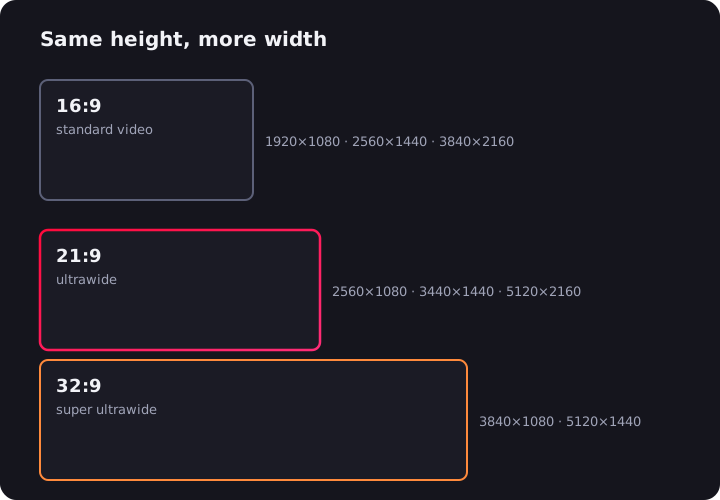
A quick reality check before you fall in love with those perfect blacks: most streaming video arrives in a 16:9 frame, so on your new 21:9 Alienware, YouTube and Netflix will sit between two black columns — beautifully black columns, on OLED, but columns nonetheless. The free UltraWide Video extension fixes that in a click, zooming video to fill the full 3440×1440 panel; widescreen films lose nothing in the process, as our Netflix ultrawide guide explains. There's also a small OLED-specific bonus: filling the screen means no static letterbox bars parked on the same pixels for a two-hour movie.
The AW3423DW will be remembered as the monitor that dragged OLED onto the desk. The best part is what happened next: competition. Whichever QD-OLED badge you end up buying, you're buying the thing Alienware proved people wanted.

Watching on an ultrawide monitor?
UltraWide Video removes black bars from YouTube, Netflix, Prime Video and any other site — zoom or stretch any video to fill your 21:9 or 32:9 screen.